TL;DR
On boards in controlled mode, all new participant ideas land in an inbox in the top-right corner. From there, you can filter ideas (by keyword, color, category, or likes) and drag and drop them onto the board to organize them. Once an idea is on the board, it disappears from the inbox, but you can drag it back if needed.
Important information
This article describes the features of the New Board experience. If you are using the Classic Board interface, respective features are described here.
Please note that the Classic Board experience will soon be discontinued and replaced by the New Board experience. For more information, please click here. Learn how to return to the Classic Board experience in the meantime and find answers to common questions about key updates here.
- Overview
- How to Access the Inbox
- How to Filter Ideas from the Inbox
- How to Move Ideas from the Inbox
- What's Next?
Overview
On a board in controlled mode (learn more about controlled mode), ideas from participants arrive in the inbox at the top right of the interface. You can use filters and the list view to quickly sort, select, and move ideas in your workspace.
How to Access the Inbox
How to Filter Ideas from the Inbox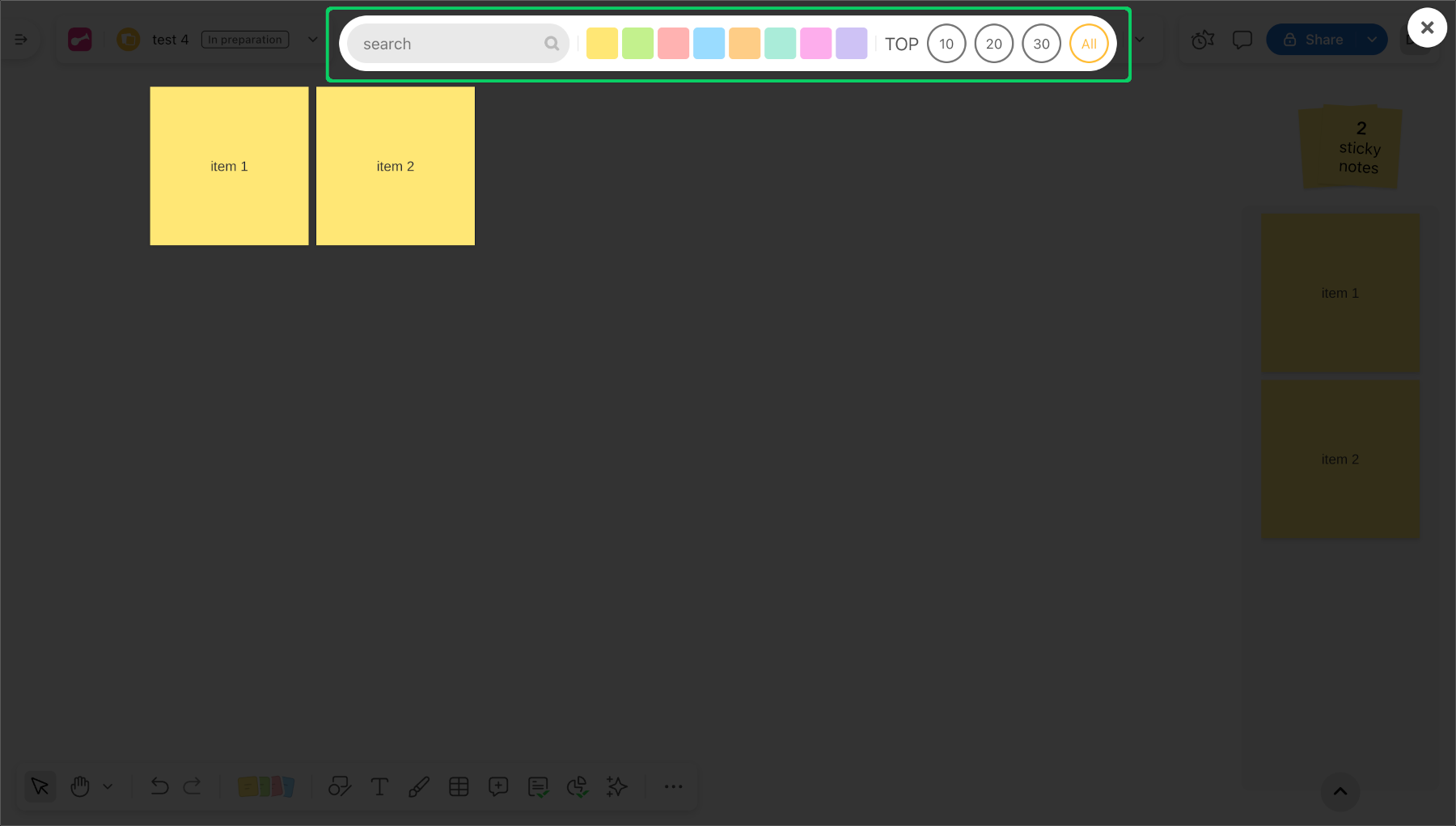
In the inbox, you can use filters to quickly find specific ideas:
- By keyword: Enter a word or phrase in the search bar.
- By color: Click a color to see only ideas with that color.
- By category: Select one or more idea categories.
- By number of hearts: Sort to show the most liked ideas first.
You can combine filters to narrow your selection.
How to Move Ideas from the Inbox
Drag and drop ideas from the inbox to the board where you want them.
Once you place an idea on the board, it no longer appears in the inbox.
You can move ideas back to the inbox the same way.